Smart Routing Explained — How GatifyAI Picks the Right Model for Every Task
Forty-plus AI models is a lot of choice — and choice paralysis is a real cost. Most people don't want to become an expert in which provider is strongest at Python versus poetry versus long documents. They want to type their question and get a good answer. That's what GatifyAI's smart routing is for.
"Auto (recommended)" is the default for a reason
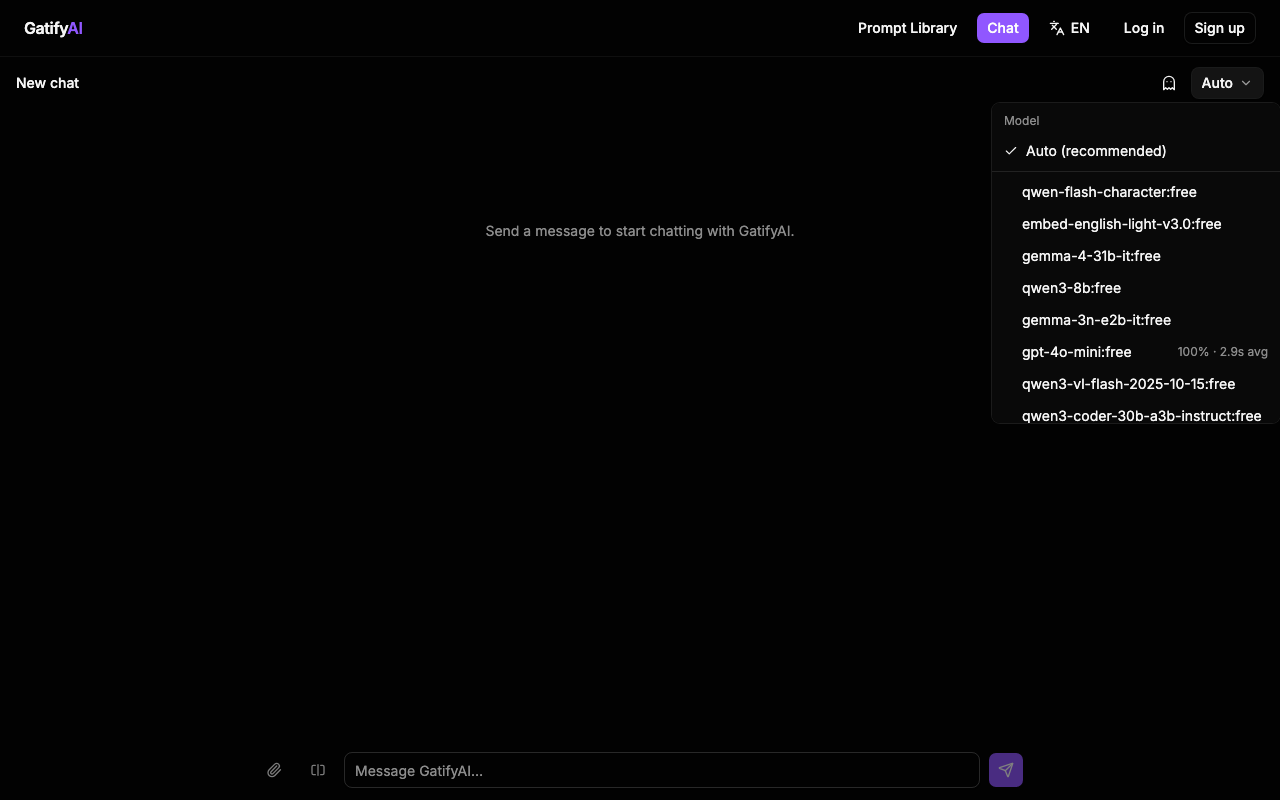
Open the model picker in any GatifyAI chat and the first option is always Auto (recommended) — every other model in your free tier is listed right below it, so you can override it any time, but you don't have to. Auto is where the actual routing decision happens.
How the routing decision gets made
GatifyAI classifies what you're asking for into a task category — Roleplay, Coding, Writing, Research, Creative, Vision, or Reasoning — and matches it to the models best suited for that category:
- Coding questions lean toward models like Claude, GPT, or DeepSeek.
- Creative writing leans toward Claude or GPT.
- Math and reasoning leans toward Qwen or DeepSeek.
- Vision tasks (once you've attached an image) route to a vision-capable model like GPT Vision or Gemini.
- Long-context conversations get routed toward models like Gemini that handle bigger histories well.
This runs as a lightweight keyword and pattern classifier rather than a black box — there's no separate API that tells us "this model is 92% confident it's good at Rust," so GatifyAI builds that signal from the content of your message itself, in real time, before the request even goes out.
Vision and long-context are situational, not default
Two categories only kick in when they're actually relevant: vision routing activates once you've attached an image to the conversation, and long-context routing weighs in as a conversation's history grows. Neither is guessed at from the first message — GatifyAI waits for the evidence.
Recommended, never mandatory
Smart routing is meant to remove a decision you don't want to make, not take away a decision you do want to make. If you know GPT handles a specific kind of prompt better for your use case, the manual picker is right there — every model is visible, not hidden behind "Auto." And because GatifyAI tracks a rolling success rate and average latency per model, you can make that manual call with real data instead of a guess.
Why this beats picking manually every time
Without routing, using the "best" model for a task means already knowing which of 40+ options is best for it — expertise most people don't have and shouldn't need. With it, you type your question once, and the category-matching happens before you've finished thinking about which tab to switch to.